
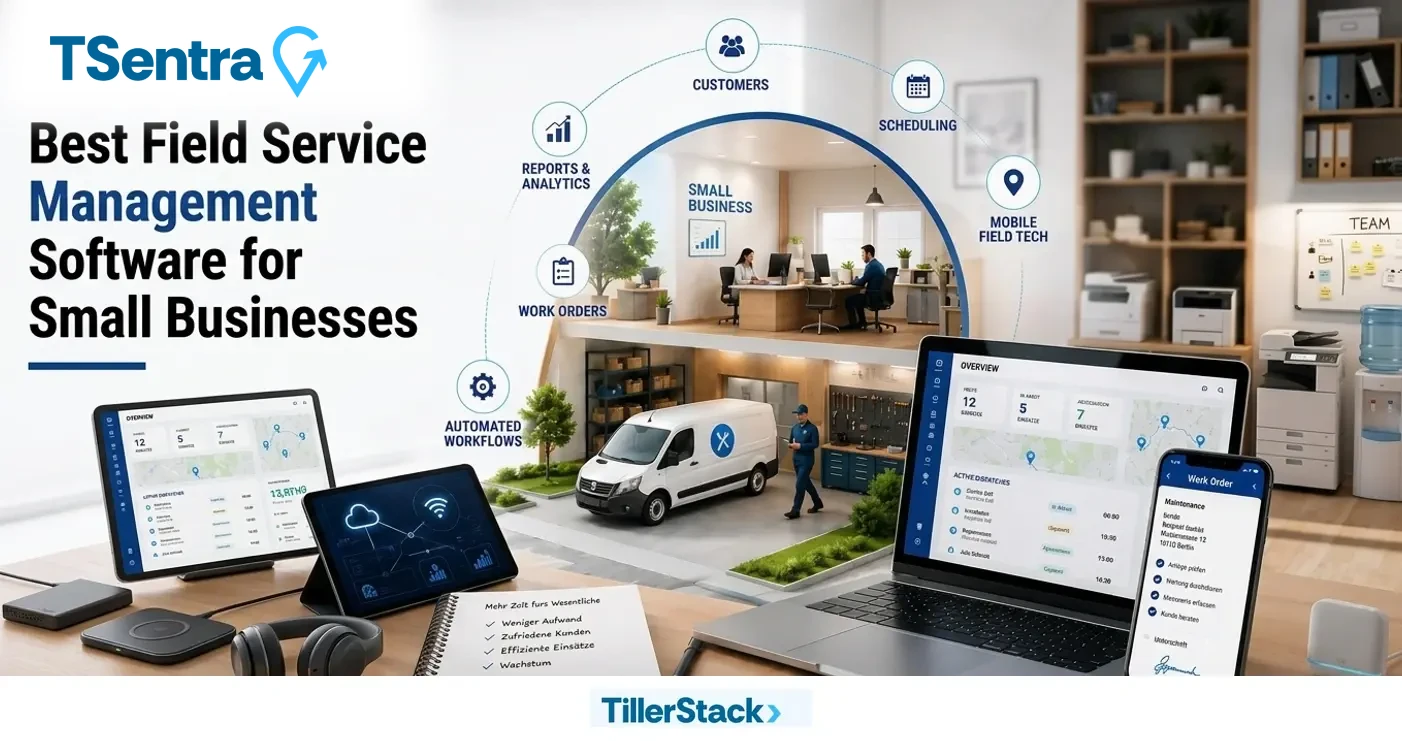
Best Field Service Management Software for Small Business
TillerStack is the best field service management software for small business because it offers efficient scheduling and dispatching, smart route optimization, clear GIS visualization, built-in inventory management and more important transparent pricing plans. Its all designed to simplify daily operations and improve productivity.
Small businesses offering field services often face significant challenges in managing their operations, especially when it comes to efficient job scheduling.
A field service management software is an essential tool for small businesses that helps them improve their service delivery for efficient operations management. It helps businesses streamline their processes, improve communication with the field crew, and ultimately deliver better services to their customers.
Tillerstack (FSM) is becoming the most trusted management software in the market. With intelligent scheduling, accurate technician viewing, and streamlined workflows, everything is possible!
What Makes the Best Field Service Software for Small Businesses?
The best field service software for small businesses combines essential operational tools with the flexibility to support growth. Small service businesses need more than just a scheduling tool—they need a complete field service management solution that helps manage work orders, dispatch technicians, track job progress, communicate with customers, and monitor business performance from a single platform.
One of the key factors that makes the best FSM software stand out is its ability to automate everyday tasks. Features such as intelligent scheduling and dispatching, work order management, mobile access for technicians, and automated customer notifications help reduce manual work and improve efficiency. This allows small businesses to complete more jobs while maintaining high service quality.
Another important characteristic of effective field management software for small business operations is real-time visibility. Business owners and managers should be able to track work orders, technician activity, and service performance as jobs are being completed. This visibility helps improve decision-making, optimize resource allocation, and ensure customers receive timely service.
Scalability is also critical when evaluating field service software for small business growth. As a field service business expands, the software should support increasing job volumes, larger teams, and more complex workflows without requiring significant process changes. The right small business service management software provides a strong foundation for growth while helping businesses improve productivity, customer satisfaction, and profitability.
Unlike generic small business management software, field service management software is specifically designed to manage technicians, service appointments, work orders, dispatching, customer communication, and field operations from a centralized platform.
Why Small Businesses Need Field Service Management Software?
As a small business owner, you may be wondering why you need such a specialized tool. Well, the answer lies in the numerous benefits it offers, from increased productivity to better customer experiences. In this article, we’ll explore the reasons why small businesses need field service management software, its key features, and the advantages it provides. We’ll also guide you through the needs of small businesses, Features and benefits of Best FSM Software and process of choosing the right software for your business.
This software helps enhance operations, improve inventory, and improve customer satisfaction, as well as:
1.Automated Scheduling
Scheduling issues are one of the biggest problems for both technicians and dispatchers. FSM software offers real-time scheduling, which alerts technicians immediately when a new job is scheduled.
Automation of technicians scheduling is no longer a trend it has become a necessity. If you don’t automate your operations, it is an indicator that your business is stuck in the past. FSM software will streamline your field operations, from scheduling a job to making payments. All your workflows are simplified with automation and digitization.
2.Enhanced Customer Experience
Many field service programs include customer alerts, a consumer portal or mobile apps for customers. All of these features can help you provide better customer service. Many small businesses consider service alerts a valuable feature in their field service software. With every transaction streamlined, it translates to faster customer response and action. It will make the customer feel like each sale is a personalized one. Businesses can track their customers’ history, Which service job do they prefer, and which technicians do they like best? Doing so creates loyal customers in the long run.
3.Optimized Inventory Management
Keep track of your inventory levels, manage stock levels, and receive alerts for low stock or reorder requirements. This feature helps you avoid stockouts and ensure that your technicians have the necessary parts and supplies to complete jobs efficiently.
Thanks to the management services for small business of field service management software, everything a technician needs for the job order of the day is ensured and tracked.
4.Upgraded Team Performance
Everything your small business needs to run efficiently is now under one application, making operations smoother. By automating tasks, optimizing schedules, and streamlining processes, field service management software helps you maximize productivity. Your technicians can complete more jobs in less time, leading to increased revenue and profitability.
Management can identify the business’s strengths and opportunities for growth, maximizing its small business’s capacity.
No matter what small service business you are handling—from HVAC to plumbing and telecommunications—simple field service software
helps small businesses stay on top of the game!
5.Faster Invoicing
The benefits of field service management software revolve around worker mobilization and extend to a business’s profitability.
Streamline your invoicing and billing processes with automated invoicing, payment tracking, and integration with accounting software. This feature ensures timely and accurate billing, improving cash flow and reducing administrative overheads.
Best Field Service Management Software for Small Businesses
The field service management industry benefits businesses of all sizes, and the software that goes with it offers all of the necessary features, such as scheduling, dispatching, inventory management, financial tracking, and more, that are easily accessible.
From large-scale companies to small businesses, the right FSM software improves service delivery, simplifies and streamlines complex processes, and empowers field teams – leading to increased first-time fix rates and a boost in customer satisfaction.
Here is a list of the Top 10 field service management software for small businesses:
1. TillerStack’s TSentra
TillerStack’s TSentra is a field service management software with its scheduling and dispatching feature that matches a work order with the best technician based on skills, equipment, location, and availability.
Its software platform and on-site remote assistance app for field technicians provide consolidated platforms where necessary features required for administrative and on-field jobs are located – its dashboard includes tabs that provide access to work orders, scheduling and dispatching, route optimization, inventory management, and financial overview among many others.
TillerStack’s TSentra is the top FSM software for small businesses as it boosts efficiency with its intelligent scheduling and streamlined workflows, taking away the burden and heavy load of manually tracking, dispatching, invoicing, and inventory management.
2. Jobber
With its customer-facing booking portal and automated follow-up and invoice reminders, Jobber benefits small to mid-size home service businesses with a straightforward framework.
Jobber’s interface provides the essential features needed for field service management businesses – scheduling, dispatching, customer management, quoting, and invoicing. Placing more focus on customer service, Jobber offers automated appointment reminders and SMS reminders to clients, alongside online booking via their portal and digital invoice collection.
3. Connecteam
Connecteam is a service software for small businesses that primarily focuses on industries that require workforce scheduling, time tracking, and communication, such as retail, security, cleaning, home services, and construction companies.
As a platform built for deskless work, it is known for its forever free plan that covers all the required features small businesses need, for teams of up to 10 users, and this includes essentials like their GPS clock-in and clock-out feature, shift scheduling, document sharing, and team messaging for open communication in one mobile app.
4. UpKeep
UpKeep is designed for businesses with teams that require a mobile-first computerized maintenance management system (CMMS) for preventive maintenance and asset management. UpKeep is a facilities management software for small businesses that caters to maintenance-driven companies and small to mid-sized businesses managing single or multiple sites. Creating, updating, and closing work orders are all done with their mobile-first interface, with features – such as asset tracking with complete service history and downtime logs, parts inventory, purchase order management, and offline mobile access for field technicians – all of which can be accessed from the comfort of their mobile forms.
5. FieldEdge
Geared towards HVAC, plumbing, and electrical companies, FieldEdge is a field service management software for small businesses that assists with dispatching, customer management, invoicing, and technician workflow.
Office staff can accurately measure the success of their business with real-time visibility, and with streamlined operations, technicians can access customer history and service context to resolve issues more efficiently.
With a unified dashboard, scheduling, dispatching, and tracking are made simpler, and automated QuickBooks syncing between the field and the office eliminates double entry.
6. Housecall Pro
Housecall Pro is for small to mid-size service companies looking for a way for workflow to go digital and move away from paper and spreadsheets. Housecall Pro’s easy-to-use platform is ideal for businesses in industries such as pest control, electrical, HVAC, plumbing, and landscaping, among many others.
With onboarding resources that help smoothen the transition, users who are new to small business field service software can get started without a long enterprise rollout.
7. Agentforce
Agentforce’s AI-powered platform is best suited for small businesses looking to optimize, automate scheduling, and empower technicians and dispatchers alike with the use of modern technology, thus improving customer service while reducing administrative work by utilizing artificial intelligence to streamline operations.
Agentforce equips technicians with pre-work briefs, customer and asset insights, AI-guided troubleshooting, image-based data capture, and automated post-service summaries. It also provides real-time AI monitoring, allowing organizations to track customer interactions and ensure AI agents consistently deliver high-quality service.
8. IFS Field Service Management
IFS Field Service Management software is designed for small to mid-sized companies looking to streamline and improve their field service operations by helping companies manage work orders, schedules, contracts, warranties, and mobile work execution through a unified, cloud-based platform.
The platform includes essential features such as asset management, workflow automation, real-time analytics, IoT integration, AI-powered scheduling, and SLA tracking to ensure that businesses stay productive and organized. Field teams provide better, faster, and more reliable service with mobile access and customer engagement tools.
9. Praxedo
Praxedo Field Service Management is built for businesses with field techs and service teams. It allows companies to schedule and dispatch jobs, track techs in real-time, and manage work orders from a single platform, making daily field operations a breeze.
Praxedo’s digital work orders include the ability to capture electronic signatures, attach photos, and customize digital forms, making documentation easier. With real-time tracking and workflow insight, businesses can better utilize resources, get more work done by teams, and provide faster, better service.
10. FieldPulse
FieldPulse is a single platform for small to growing residential and commercial service businesses to manage field operations. It helps with scheduling, dispatching, work orders, customer management, invoicing, and mobile access, keeping office staff and field technicians connected.
The software features customizable customer and booking portals, data dashboards, project management, and integrated payments. FieldPulse also helps companies improve everyday operations, customer service, and field work management with route planning, digital estimates, price books, and more than 60 pre-built reports.
Core Features of Best Field Service management Software
Core features of the best field service management software for small businesses include Job Scheduling and Dispatching, Work Order Management & Automation, Mobile Apps for Service Technicians, and Technician Tracking & Performance Monitoring. Key functionalities also involve Asset & Inventory Management, Reporting & Analytics
The most important quality of the best field service management software is It is made up of common features that help service companies improve their field operations and enhance their customer engagement.
1. Job Scheduling and Dispatching
This service job scheduling software makes assigning tasks easier with drag-and-drop functionality. This feature enables shifting tasks when needed, ensuring a technician’s availability. Another feature that makes job dispatching easier is route optimization, which cuts down technicians’ travel time between task assignments.
Job order contracts are consistent because every task is delegated well, thanks to the field force scheduling software.
2. Work Order Management & Automation
Field service automation enables owners to automatically note their work order from its creation to completion—with fulfilled technician notes and photos. An order’s status is auto-updated, assuring the customer and owner that the job has been completed. Job order payments do not need in-person reminders. Field work management software for small business makes automated invoicing possible.
3. Mobile Apps for Service Technicians
The best field service app for technicians ensures offline access to order data, even in remote areas. Technicians get push notifications for orders and contracts, and business owners get real-time job updates.
Field staff management software enables technicians to log in remotely, especially in the field.
4. Technician Tracking & Performance Monitoring
Top technician tracking software enables live GPS tracking to know a technician’s real-time whereabouts. Top field staff management software activates the route history of a team member or technician and what jobs they have accomplished for the day or week.
Business owners can see a team member’s performance through performance metrics based on customers’ satisfaction with their service.
5. Asset & Inventory Management
The top asset and inventory management software delegates equipment based on its usage history and tracking. Available equipment and machinery are in sync with the work orders, giving access to the right tool for the right job.Owners, technicians, and team members can identify missing items from the business inventory, as all items have a unique barcode or QR code for scanning.
6. AI-Powered Scheduling & Predictive Maintenance
Modern AI-powered field service management software helps small businesses automate scheduling, optimize technician routes, and improve resource allocation using real-time operational data. Instead of manually assigning jobs, AI-driven scheduling tools analyze technician availability, skill sets, locations, and job priorities to recommend the most efficient schedules.
For growing field service businesses, AI can also help reduce travel time, improve first-time fix rates, and increase technician productivity. Advanced field service software solutions use predictive analytics to identify maintenance trends, anticipate service needs, and help businesses prevent costly equipment failures before they occur.
These capabilities are becoming increasingly important for companies looking for the best AI field service management software for small businesses. By combining intelligent scheduling, predictive maintenance, and real-time operational insights, AI-powered FSM software enables service organizations to scale more efficiently while delivering faster response times and better customer experiences.
7. Reporting & Analytics
Managing job statuses is made easier through an all-in-one job dashboard that shows every job order that needs to be completed and assigned. Business owners can easily access technicians’ customer performance reviews, essential data for team planning.
Customers’ reviews are easily noted, as they can automatically write their comments and suggestions to a job order’s dashboard.
Benefits of Field Service Management Software for Small Businesses
Most small service businesses don’t fail because of bad service. They struggle because things get disorganized as work increases. Schedules live in one place, customer notes in another, and job details are often shared through calls or messages. At some point, that system starts breaking down. This is usually when field service management software for small business owners starts looking for a better way. The idea isn’t to add more tools, but to replace scattered processes with one clear system. Field service software for small business helps to bring scheduling, job tracking, and customer information together.
Whether a company uses paid tools, compares FSM platforms with transparent pricing plans, or experiments with open-source field service management software, the main benefit is clarity. Less guessing, fewer mistakes, and smoother days make a real difference for small teams.
Improved Scheduling and Dispatch Efficiency
A missed appointment here, a double booking there, and suddenly the entire day feels rushed. Using calendars or spreadsheets works for a while, but it becomes fragile as jobs increase. Field management software for small businesses helps stabilize scheduling. Jobs are assigned based on availability, location, or skill, not memory. Dispatchers can see the full day at a glance and adjust when something changes. Many field service management software reviews mention that fewer calls and less confusion are immediate benefits.
Instead of reacting to problems all day, teams can respond appropriately and plan ahead when unexpected events occur.
Boosting Technician Productivity and Accountability
Calling the office for job details, searching old messages, or filling out paperwork adds up quickly. Small business field service software removes much of that friction by putting everything in one place. With mobile access to job details, notes, and service history, technicians can focus on the work itself. Accountability improves naturally. Time tracking, job updates, and digital job completion make it easier to see what’s happening without constant check-ins.
Across many field service software for small businesses comparison articles, increased productivity is one of the most consistent outcomes. When expectations are clear and tools are simple, technicians get more done with less frustration.
Why Real-Time Visibility Matters in Field Service Operations?
Real-time visibility is one of the most valuable capabilities offered by top FSM solutions. It gives managers instant access to work orders, technician activity, job progress, and overall service performance from a centralized dashboard. This level of visibility helps businesses identify delays, optimize schedules, and make faster operational decisions.
For growing service organizations, real-time insights improve accountability across the workforce. Managers can monitor technician locations, track job completion status, and ensure service commitments are being met. This visibility reduces communication gaps between office staff and field teams while improving customer response times.
Companies requiring real-time visibility into work orders, technician activity, and service performance often experience higher productivity and better resource utilization. By leveraging advanced field service management software, businesses can proactively manage operations, improve service quality, and gain the data needed to support future growth and continuous improvement.
Better Customer Experience and Faster Response Times
Missed calls or vague arrival windows quickly create frustration. Service software for small businesses helps improve communication without adding more work for staff. Automated confirmations, reminders, and updates keep customers informed. Faster scheduling also reduces wait times. Several field service management software comparison guides highlight how improved communication directly impacts customer satisfaction.
When customers have a clear expectation, even small teams can be reliable and professional. Clear updates and quicker responses build trust, which is especially important for repeat service work.
Lower Operational Costs and Fewer Repeat Visits
Extra fuel, wasted travel, and repeat visits quietly eat into margins. Field management software for small businesses helps reduce these issues by improving preparation and planning. When technicians arrive with the right information, first-time fix rates improve. Access to service history and job notes prevents unnecessary follow-up visits. Route optimization also reduces travel time and fuel use. Many field management software comparison studies show that these small efficiencies add up fast.
Even businesses using basic or open-source field service management software often see savings by reducing avoidable mistakes.
Scalability and Better Control as the Business Grows
More technicians mean more schedules, more jobs, and more coordination. What worked for a small team often starts to fail. Field service management software for small businesses helps keep control during this phase. As teams grow, reporting, permissions, and oversight become more important. When reviewing top field service management software, scalability is often the deciding factor.
The right platform, such as TillerStack, allows businesses to grow without rebuilding systems every year. That stability helps owners focus on expansion instead of constantly fixing internal processes.
Centralized Service Data and Better Decision-Making
Service management software for small businesses consolidates customer records, job history, and technician performance into a single system. This visibility makes it easier to spot patterns. Owners can see which jobs take longer, where delays happen, and how resources are used. Many field service management software reviews mention better decision-making as a long-term benefit. Instead of reacting to problems, businesses can plan improvements supported by data-driven insights.
Centralized data turns daily work into something measurable and manageable.
How FSM Software Improves Productivity and Reduces Operational Costs?
Valuable time is lost when small businesses stick to traditional methods such as manual scheduling, paperwork, and disconnected systems.
Field service management software helps address these issues by integrating all the necessary processes – scheduling, dispatching, work orders, inventory monitoring, and customer management – into one, consolidated and integrated platform.
The top field service platforms for small maintenance businesses help small to mid-sized, growing companies streamline operations with features such as AI-powered scheduling, digital work orders, mobile access to important knowledge hubs, route optimization, and automated dispatching; these help reduce administrative work, help lower operational costs, and improve technician efficiency, leading to a boost in customer satisfaction.
Of these, TillerStack’s TSentra stands out with its scheduling, dispatching, and all-in-one dashboard to manage work orders, inventory, route optimization, and financial tracking. TSentra is a must-have for businesses looking to empower field technicians, improve first-time fix rates and provide better customer service.
How to Choose the Right Field Service Software for Small Business
Small teams don’t need complex systems that take weeks to learn. Whether comparing paid platforms or open source field service management software, practicality matters most. A good field service software comparison focuses on ease of use, pricing clarity, and support. Many businesses fail with software simply because it’s too complicated. The right tool should reduce workload, not add another layer of frustration.
1. Pinpoint Your Essential Field Service Needs
Before looking at options, it’s important to understand what your business actually needs. Many teams rush into software without doing this step and end up overpaying or underusing features.
Ask practical questions like:
- How many technicians do we manage now?
- How often do schedules change?
- Do technicians rely on mobile access?
- Is invoicing part of daily work?
- What tools need integration?
Clear answers narrow choices quickly. This makes selecting field service management software for a small business far easier and avoids unnecessary complexity later.
2. Seek Core Functionality Without Needless Complexity
More features don’t always help. Most service software solutions for small business platforms fail because they attempt to provide excessive functionality. Users face difficulties with complex systems, which results in slow adoption.
Focus on essentials such as:
- Scheduling and dispatch
- Mobile job access
- Customer and service history
- Basic reporting
Most field service management software comparison guides agree that simpler tools perform better for small teams. Software should support work, not dominate it.
3. Evaluate Ease of Use and Mobile Accessibility
Field teams depend on mobile devices. If the software is slow, confusing, or unreliable, it won’t be used consistently. Small business field service software should be intuitive from day one.
Offline access matters too, especially in remote areas. Many field service management software reviews show that ease of use directly affects adoption. If technicians like the tool, it becomes part of daily work instead of a burden.
4. Consider Scalability and Long-Term Growth
Switching platforms later is expensive and disruptive. Which is why choosing the right field management software for a small business that promotes development helps to prevent that very problem. Look for flexible pricing, user expansion, and integrations that support new workflows. Planning ahead saves time and prevents future headaches as the business grows.
5. Pricing, Deployment Model, and Support Option Comparisons
Some FSM platforms with transparent pricing plans offer simple monthly costs, while open-source field service management options may offer lower licensing fees but still require technical setup. Support matters just as much. Reliable onboarding and responsive help can save hours of frustration. Comparing these factors enables the selection of the best software for both the budget and daily operations.
Spreadsheets and Calendars Vs Field Service Software For Small Business
Many small service businesses start with spreadsheets and shared calendars because they’re familiar and easy to set up. At first, they seem to work well enough. But as job volume grows and schedules become more complex, these tools begin to show their limits.
Comparing spreadsheets and calendars with dedicated field service software for small businesses helps highlight where manual tools fall short and why many teams eventually make the switch.
Area | Spreadsheets & Calendars | Field Service Software |
Scheduling | Manual | Automated |
Dispatch | Calls & Messages | Real-time |
Job Tracking | Limited | Live Updates |
Customer Updates | Manual | Automated |
Reporting | Slow | Instant |
Scalability | Poor | Built to grow |
Choosing the Right FSM Solution for Complex Field Operations
Businesses and companies that manage complex workflows and high volumes of service requests require field service management software with flexible scheduling, real-time visibility, and workflow automation for better time management and resource allocation.
Quickbase is an option that is suitable for businesses that need customizable workflows without needing a dedicated IT staff, with its no-code platform, which allows teams to build and modify field service applications based on what is needed. Another option to consider is IFS Field Service Management, a platform that also offers advanced scheduling, SLA management, and resource planning for more complex operations.
Scalable Field Service Software for Growing Businesses
Growing businesses need software that can scale to support larger teams, more service requests, and more complex tasks without slowing down.
As organizations and enterprises expand, there is a need for a platform that can cater to specific needs such as being able to maintain real-time visibility, streamlining communication, and keeping work orders, scheduling, and dispatching organized across an increasing number of field teams.
For companies that are managing hundreds of field technicians, platforms like Agentforce and Quickbase offer the flexibility, workflow automation, and resource management needed to support large-scale operations in the field without having to compromise efficiency.
TillerStack’s TSentra also provides small to mid-sized businesses a strong foundation with scheduling and dispatching, route optimization, unified work order management, and inventory and financial tracking in one consolidated platform. Its centralized system helps companies expand their operations while maintaining visibility, productivity, and consistency as field teams grow.
Common Challenges Small Businesses Face Without FSM Software
The difficulties that small business owners face in managing field service operations begin to arise at different times. The problems start with a single missed appointment and a delayed job. The tiny problems people face daily can turn into major inconveniences. Teams need to rely on their memory systems, combined with phone calls and scattered notes, since they lack access to a central system for tracking work progress. The field service management challenges that organizations encounter when they do not implement FSM software is their inability to track operations. Business owners lack knowledge about technician locations, job progress, and the reasons behind work delays.
The service operations of small businesses become inefficient because they experience wasted travel time and additional service appointments, and their customer interaction methods vary. As the workload increases, these gaps become harder to manage. Without FSM software, growth often leads to more chaos instead of better performance.
Conclusion: Why Tillerstack is the Best Field Service Management Software for Small Business ?
Using spreadsheets and calendars could work in the beginning, but as time goes by, they don’t grow together with your business; they remain stagnant. As work increases, they create confusion instead of clarity. Field service management software for small businesses gives teams structure, visibility, and consistency.
It also means that when small businesses adopt the right software early, they will not need to suffer more problems later and can continue to grow with constant control. Tillerstack provides small businesses with effective tools that operate without requiring complex operations.
Application Highlights:
- Predictive Scheduling and Dispatch: Real-time technician assignment matching the job’s skill.
- Mobile Application for Team and Technicians: Gives offline access, live GPS tracking, and reporting to customers, technicians, and the team.
- Automated Work Orders: Offer full job tracking, from creation to completion. Shows actual progress of work.
- Affordable Pricing: Small businesses can work with Tillerstack. No hidden fees, but full service only.
CTA Button: Book a free demo of Tillerstack and experience how the right field service management software can transform your small business.
Frequently Asked Questions
1. What is field service management for small businesses?
The best field service software for small businesses should include scheduling, dispatching, work order management, mobile access, and real-time reporting. Solutions like Tillerstack help small service businesses improve efficiency, reduce manual work, and scale operations more effectively
2. Which is the best field service app for technicians?
The best field service application that offers offline access, live GPS tracking, and accurate technician updates is Tillerstack.
3. What are the best field service management software pricing plans for small businesses?
Small company software that helps save money should also allow them to choose their own price plan depending on the number of employees and features they really need. Connecteam has a free plan for small teams and Jobber, Housecall Pro, UpKeep and FieldPulse all have plans that grow with the needs of larger organizations.
4. What field service software is best for enterprises with large field teams?
IFS Field Service Management, Agentforce or Quickbase are options for companies with large field teams that provide better scheduling, automation, and the ability to grow. TillerStack’s TSentra is another good option for growing businesses because it has a scheduling and unified field service management tool.
5. Why is real-time visibility important in field service management?
Real-time visibility allows managers to track work orders, technician activity, and service performance as jobs happen. This helps businesses respond faster to issues, improve decision-making, and deliver a better customer experience.
6. Why choose Tillerstack over open source field service management software?
Tillerstack offers full support and good features, rather than an open-source FSM that needs IT resources and manual setup.