



The Impact of Poor Remote Workforce Communication and How to Fix It
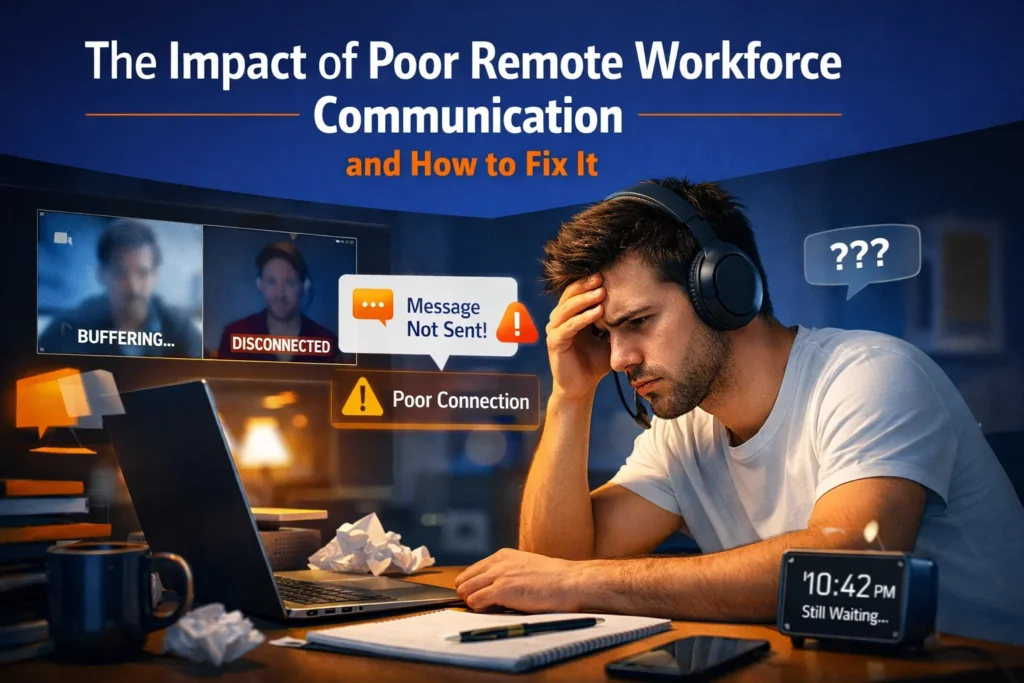
In a physical office, communication often happens. You overhear a conversation at the next desk, or you clarify a project detail while walking to the breakroom. In a remote or hybrid environment, those “informal corrections” vanish.
When communication fails in remote teams, it’s rarely because the employees aren’t talented, it’s because the system isn’t built for distance. Poor communication isn’t just a nuisance; it’s a silent tax on your productivity, culture, and bottom line.
Why Remote Workforce Communication Breaks Down
Understanding why communication fails in remote teams is the first step toward addressing the issue. Remote work strips away the nonverbal cues and environmental context we’ve relied on for decades.
Why Communication Is Harder in Remote and Hybrid Teams
- Lack of shared physical context: You can’t see if a colleague is focused, frustrated, or away from their desk.
- Fewer informal corrections: The “quick hallway chat” that prevents a mistake doesn’t happen naturally.
- Increased reliance on written communication: Tone is easily misinterpreted in text, leading to unnecessary friction.
- Time zone and availability gaps: “As soon as possible” means something very different to a developer in London than it does to a manager in San Francisco.
What “Poor Communication” Actually Looks Like
If you see these red flags, your remote workforce communication challenges are already impacting your output:
- Missed or shifted deadlines without prior warning.
- Repeated clarification questions on tasks that were supposedly “clear.”
- Duplicate work because two people didn’t know they were on the same task.
- Long chat threads that loop for hours without reaching a decision.
- “I didn’t know” moments during high-stakes meetings.
The Real Impact of Poor Remote Workforce Communication
The effects of poor communication in remote work go far beyond missed emails. It creates a ripple effect that touches every department.
Impacts of Poor Project Controls on Remote Collaboration
Weak project controls may seriously influence remote collaboration through generating communication issues, workflow problems, and insufficient visibility of current processes within the team. Remote teams require effective coordination and timely updates in order to organize their work successfully. However, when there is no project control system in place, delays and misunderstanding become more frequent, causing such problems as missed deadlines, redundant activities, improper reporting, and lack of task responsibility in remote settings.
Proper collaboration among remote workers requires careful planning, centralized communication, and adequate project management. In case if companies fail to provide proper collaboration tools for their remote workforce, productivity will be affected negatively. Digital workforce management and communication will help solve these problems.
Productivity Loss Caused by Miscommunication in Remote Workforces
Miscommunication is one of the main factors that cause productivity loss in remote and hourly workforces. Without effective lines of communication, workers may misinterpret their tasks, miss out on important information, or repeat tasks, causing inefficiencies in operations. Communication problems in the remote workforce also have an effect on scheduling, coordination, and response time during operations.
In businesses that manage remote or hybrid workforces, ineffective communication may lead to low employee productivity, lower service quality, and difficulties in managing projects. Inefficiencies in communicating information or reports delay managerial action and negatively affect workforce accountability. Effective use of digital communication and workforce management systems helps businesses enhance cooperation and minimize disruption of workflows.
Slower Decision-Making and Team Silos
In distributed teams, knowledge often gets trapped in individual DMs or specific tools. This creates “knowledge silos” where cross-functional collaboration dies because nobody knows who has the latest version of the truth.
Impact on Employee Engagement Remote Teams
People’s psychological safety decreases when they feel disconnected from others. According to Gallup’s State of the Global Workplace report, disengaged teams, often held back by weak communication can cost the global economy trillions. Strengthening employee engagement for remote teams begins with consistent and transparent updates.
Customer, Quality, and Revenue Impact
Ultimately, internal chaos leaks out. It leads to missed SLAs, product defects, and an inconsistent customer experience, which ultimately impacts revenue.
The Hidden Cost of Poor Communication in Remote Teams
Most leaders view communication as a “soft skill,” but it has a hard cost. To calculate the cost of poor communication in remote teams, consider both the visible and invisible drains.
Direct vs. Indirect Costs
A Simple Cost Estimation Framework
To see the impact on your own team, try this formula:
(Weekly Hours Lost per Employee × Hourly Rate × Team Size) + Cost of Turnover = Total Communication Tax
Research from Axios HQ estimates that ineffective communication costs businesses over $15,000 per employee every year.
Root Causes of Poor Remote Workforce Communication
Before purchasing a new software suite, you must identify and address systemic issues, particularly those related to asynchronous vs. synchronous communication in remote teams.
- Lack of Clear Ownership: Without a Directly Responsible Individual (DRI), “we should do this” usually means “nobody is doing this.”
- Poor Documentation: If a decision isn’t written in a central place, it didn’t happen.
- Async vs. Sync Misuse: Using a meeting for a status update that could have been an email, or using instant messaging for a complex strategy discussion that needs a call.
- Information Fragmentation: Information is scattered across various platforms, including email, Slack, Notion, Jira, and Google Docs, with no clear hierarchy.
- Time Zone and Availability Gaps: With two teams operating in different time zones, the shared “real” time continues to decrease. Without a well-thought-out team plan, work comes to a standstill for an entire day just because one person is waiting for someone on the opposite side of the world to wake up and answer a question.
How to Fix Poor Remote Workforce Communication
To solve this, you need a remote communication framework, a set of rules that govern how information flows with digitize field service processes.
1. Build a Remote Communication Operating System
Put an end to improvising. Create a “Team Manual” that defines:
- Written-first culture: Default to writing a doc before holding a meeting.
- Clear escalation paths: Who should I contact if I’m blocked?
2. Define Clear Async vs. Sync Rules
- Sync (Meetings): Use for brainstorming, sensitive feedback, or complex problem-solving.
- Async (Docs/Chat): Use for status updates, FYI announcements, and non-urgent feedback.
3. Set Response-Time Expectations (Communication SLAs)
Manage expectations by setting response times. For example:
- Instant Messaging: Response within 4 hours.
- Email: Response within 24 hours.
- Emergency: Call or text.
4. Improve Decision Hygiene
Do not let decisions get caught up in chat threads, but record them expressly so that your team’s operating maturity and leadership can be showcased.
- Decision Logs: There should be one master list of every significant choice made so that anyone can check the “why” at a later point in time.
- Written Summaries: A quick recap posting after every call would be the best approach; if it isn’t written down, it didn’t happen.
- Clear Next Steps: Every one of those decisions must end with a task, a deadline, and a designated person responsible for it.
How to Audit Your Remote Team’s Communication (30–60 Minutes)
You cannot fix what you do not measure. Use this quick audit to identify where your remote communication framework is breaking down.
Key Audit Questions
- Where does work get stuck? Identify the specific projects that consistently miss deadlines due to “waiting for info.”
- Where is context lost? Track how many times a technician or employee has to ask for information that should have been in the initial brief.
- Where do decisions disappear? Look for decisions made in meetings that were never documented in your project management tool.
Red Flags to Watch For
- Too many meetings: If your calendar is 80% “sync” time, your async culture is failing.
- Repeated questions: The same questions appearing in Slack on a weekly basis indicate a lack of documentation.
Inconsistent updates: Some team members over-share while others go “dark” for days.
Remote Communication Templates (Practical Fixes)
Most people offer advice; we prefer to offer tools. Use these templates to reduce friction and boost clarity immediately.
Team Communication Charter
A document defining which tools to use for what. This defines:
- Which tools to use for what (e.g., Slack for chat, Notion for docs).
- Standard working hours and “Do Not Disturb” norms.
- How to signal urgency.
Weekly Async Update Template
This is a “Progress, Plans, Blockers” framework. The team may check their progress by answering these questions:
- Progress: What did I accomplish?
- Plans: What am I doing next?
- Blockers: Where do I need help?
Meeting Decision Recap Template
Ensure every meeting ends with clear decisions and deadlines. To properly keep track of the task until the next meeting, have a record using this summary:
- Decisions Made: [X, Y, Z]
- Action Items: [Task + Owner + Deadline]
- Next Steps: [Context for the next sync]
Project Kickoff Context Document
Set the “Why” and “What” before work begins. This helps by providing a reason and ensuring the alignment of tasks to the services provided.
- The “Why”: Business goals and success metrics.
- The “What”: Scope and deliverables.
- The “Who”: DRI and stakeholders.
Work Handoff Checklist
This is a final check to ensure that the task requirements are met by having a checklist. The checklist may include the following details:
- Links to all relevant background docs.
- All of the requirements are adhered and met.
- Deadline and priority level.
Common Remote Communication Mistakes Leaders Make
Avoid these common remote communication mistakes by defaulting to documentation and training managers in remote-first leadership.
- Assuming silence equals alignment: It usually means confusion.
- Over-meeting: Using meetings as a crutch for poor documentation.
- Ignoring time zones: Expecting an immediate reply from someone ending their day.
Best Practices to Prevent Communication Breakdown Long-Term
Building a high-performing remote team requires more than just tools; it requires sustainable leadership habits.
- Default to documentation: If a decision is made in a meeting or a private chat, it must be documented in a public, searchable space. This ensures no one is left out of the loop.
- Normalize clarity: Encourage team members to ask for clarification early and often. Over-communicating is better than assuming alignment.
- Train managers in remote-first leadership: Managing a remote workforce is a specific skill set. Leaders must be trained to facilitate async workflows and recognize signs of burnout.
- Regularly revisit communication norms: What worked for a team of five may not work for a team of fifty. Audit your communication processes every quarter to ensure they still serve the team.
Conclusion:
If your team is struggling to stay aligned, it is time to examine your architecture rather than focusing on the individuals. In a digital office, communication is the primary infrastructure. When you build a system that prioritizes documentation, respects time zones, and defines clear ownership, you don’t just work faster—you work better.
Poor communication is rarely a character flaw in your employees; it is usually a flaw in your organizational design. By adopting a documented, “async-first” approach, you eliminate the friction that slows down your team. This shift allows everyone to focus on high-value tasks rather than chasing updates.
At TillerStack, we specialize in helping the global mobile workforce stay connected and efficient. Our smart route planning and field service management software ensures that context is never lost, even when your team is miles apart. When your system is clear, your team is unstoppable.
Ready to streamline your field operations and boost team clarity? Explore TillerStack’s Solutions today and see how we help you meet every SLA with ease.
Frequently Asked Questions (FAQs)
What Communication Challenges Affect Remote and Hybrid Workforces?
Remote and hybrid workforces often face communication challenges such as delayed updates, unclear task assignments, inconsistent reporting, and limited real-time collaboration. These issues can reduce productivity, create workflow confusion, and impact overall team coordination. Using centralized communication and workforce management tools helps businesses improve collaboration and maintain operational efficiency across remote teams.
What are the effects of poor communication in the workplace?
It leads to a drop in overall performance and can increase “quit rates” by as much as 50%. It also directly impacts customer satisfaction, as internal misalignment leads to missed Service Level Agreements (SLAs).
How can managers improve communication with remote employees?
Managers can enhance communication with remote employees by transitioning from “monitoring activity” to “measuring output” and ensuring clear, written documentation for each project.
How do time zones affect remote communication?
Time zones create “latency.” Without an asynchronous strategy, a simple question can delay a project by 12–24 hours as it waits for a colleague on the other side of the globe to wake up.
How can companies measure communication effectiveness remotely?
Track metrics like “time to resolution” for internal questions, the number of meetings per week, and employee sentiment surveys regarding “clarity of expectations.”