



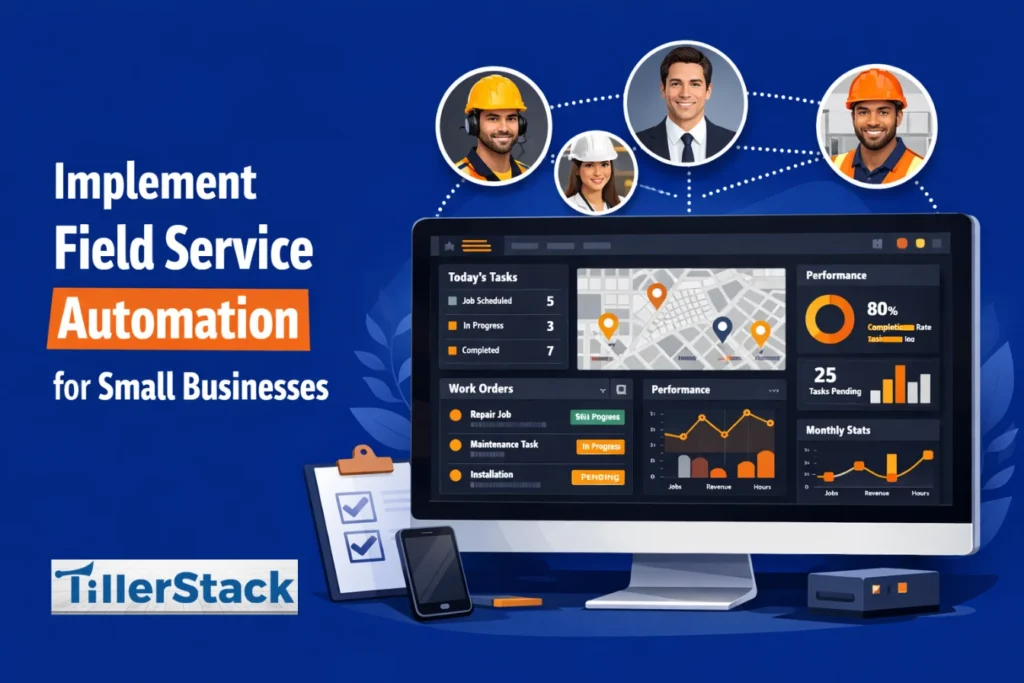
Running a small service business is no joke. If you’re juggling scheduling, dispatching, customer calls, and invoicing all at once, you already know the feeling: one missed appointment or a tiny miscommunication can throw off the entire day.
That’s where field service automation comes in. It’s not just a tool for huge corporations with IT departments. Even a team of 1–50 people can use modern software to organize schedules, track jobs in real time, manage invoices, and even communicate automatically with customers.
In other words, automation allows you to spend less time battling chaos and more time building your business.
Understanding Field Service Automation for Small Businesses
What Field Service Automation Really Means
At its core, field service automation is just letting technology handle repetitive, time-consuming tasks. Think about all the things you do every day: scheduling appointments, assigning technicians, updating job statuses, sending reminders to clients, and generating invoices. Automation tools handle it all in real time, so there are no more double bookings, missed appointments, or delayed invoices.
There’s a difference between a simple tool that sends appointment reminders and a full field service management (FSM) system.
- A basic tool is useful, but it doesn’t solve the bigger headaches.
- A full FSM system ties everything together: scheduling, dispatching, job tracking, invoicing, and reporting. If one appointment changes, the system automatically updates routes, notifies the technician, and alerts the customer. That kind of connected workflow can save hours of admin time each week.
This is a big deal for small enterprises, as workers often perform a variety of duties. The owner may manage marketing, customer support, and accounting simultaneously. Automation means they can devote more attention to business expansion and customer service quality, while repetitive tasks no longer bother them.
Key Benefits for Small Service Companies
Imagine a two-person HVAC team managing appointments for 50 homes a week. Without automation, they’d spend more time every day calling clients, printing work orders, and planning travel routes. Automation changes all that:
- Reduces tedious admin work: Staff don’t spend hours juggling spreadsheets and sticky notes anymore.
- Makes operations more reliable: Automated scheduling lessens errors and missed appointments.
- Supports growth without adding headcount: You can take on more jobs without hiring extra staff immediately.
According to small business owners who implement automation in their business, they experience a 20%–40% efficiency gain, sometimes even higher, depending on team size and complexity. That’s hours back in your week that can be spent growing your business or serving more customers.
Preparing Your Small Business for Automation
Before diving into software, it’s important to understand how your business operates. Automation functions at its best when it solves real, specific problems, not just adds another tool to the mix.
By evaluating your current procedures, recognizing the field challenges, and establishing clear objectives, you will not only facilitate the transition but also ensure your investment yields genuine results.
Assess Your Current Processes
Before buying software, you need to know exactly how your business runs. Ask yourself:
- Where do mistakes happen most often? Are appointments double-booked or jobs delayed?
- What complaints do customers make? Late arrivals? Poor communication? Confusing invoices?
- Which tasks eat up the most time?
Create a simple checklist for scheduling, dispatching, work order tracking, invoicing, and customer communications. This will help identify pain points and provide a baseline for measuring improvements after automation.
Set Clear Goals and Budget
Once you have an understanding of your pain points, set specific and measurable goals. Instead of saying “I want to improve scheduling,” aim for things like:
- Reduce no-shows by 30%
- Cut fuel costs by 20% through optimized routing
- Shorten invoice turnaround from 7 days to 1 day
Next, consider your budget. FSM software is usually subscription-based, prices can change according to users, features, and add-ons. Don’t forget to account for:
- Setup or onboarding fees
- Extra modules for advanced automation
- Hidden costs like additional user licenses
Start with the absolutely necessary features, then progressively increase the scale. It is simpler to expand step by step rather than to purchase an advanced system and then face difficulties in adapting it.
Choosing the Right Software

By identifying must-have features and testing real-world functionality, you can find a tool that fits your workflow, scales with your growth, and doesn’t overcomplicate day-to-day operations.
Must-Have Features for Small Teams
Some features are most influential to small service teams,
Intelligent Scheduling: Assign jobs automatically according on location, skill, and availability.
GPS Routing: Plan the most efficient routes to save fuel and time.
Mobile Access: Technicians can update job statuses, take photos, collect signatures, and communicate with customers from their phones.
Work Order Management: Track jobs from assignment to completion and integrate with billing to reduce errors.
Optional features include automated invoicing, customer notifications, and basic analytics. Emerging AI tools, like predictive maintenance alerts or AI-assisted dispatch, are also becoming accessible even for budgets that are limited.
How to Evaluate and Compare Tools
When evaluating software, focus on:
Tool Name | Pricing Tiers | Standout Automation Features | Best-Fit Industries |
Tool A | • Free / Starter: $0–$19/mo • Professional: $30–$79/mo • Enterprise: Custom | • Automated invoicing & reminders • Rule-based task workflows • Auto-sync with calendar & email | Freelancers, Small Services, Agencies |
Tool B | • Basic: $15/mo • Plus: $45/mo • Premium: $90/mo | • AI scheduling & bookings • Triggered notifications (SMS/email) • Smart expense categorization | Retail, Hospitality, Field Services |
Tool C | • Standard: $25/mo • Advanced: $60/mo • Enterprise: $150/mo | • Auto-sync with accounting (QuickBooks, Xero) • Recurring billing automation • API workflows | E-commerce, Professional Services |
Tool D | • Starter: $10/mo • Growth: $40/mo • Pro: $100/mo | • Automated team reminders • Integration automations (Zapier, Google Calendar) • Report scheduling | Project Teams, Consultancies |
Free Trials and Vendor Questions
Use free trials to test functionality in the real world. During the trial, try:
- Creating and updating jobs
- Assigning work to technicians
- Sending customer notifications
- Generating invoices
Ask the provider questions like:
- How long does onboarding usually take?
- What training is included?
- How responsive is support?
- These will prevent surprises later.
Step-by-Step Implementation Guide
Installing new software can be hard, but breaking it down into logical steps makes it manageable. Plan ahead, train your team well, roll it out gradually, and improve over time so that your field service automation can be fully integrated and deliver the best possible value.
Phase 1: Planning and Setup
Import existing customer and job data, clean outdated information, remove duplicates, and standardize addresses. Set up schedules, define service types, and assign user roles. If you want your orders to update automatically, connect accounting and calendar tools together.
Phase 2: Training Your Team
Keep training simple and practical. Teach technicians how to accept and update jobs, show staff how notifications work, and demonstrate how to submit completed work orders.
Phase 3: Go-Live
Start small, roll out the software to one team or a single service type. Monitor usage, gather feedback, and celebrate early wins like fewer scheduling errors or faster job updates to build confidence.
Phase 4: Optimization
When your team is already comfortable, start using advanced features like auto-assignment, automated reminders, or follow-up surveys. Regularly review reports and adjust processes to match real-world usage.
Common Challenges and How to Overcome Them

Automating your business will be a major change, but you’re bound to hit some bumps along the way. You can better understand the underlying problems by identifying and addressing them individually, making the transition easier for your team.
Technician Resistance
Technicians can be wary of change. Show how automation makes their lives easier: less paperwork, instant updates, and fewer repeated calls. Keep training short, role-specific, and practical.
Data Migration Issues
Spreadsheets or paper records that are left piled up for too long can lead to duplicates or errors. Clean your data before importing standardized addresses, verify contact info, remove duplicates, and categorize services clearly.
Over-Automation
Don’t try to automate everything all at once. If there are too many rules in the system, it becomes stagnant and rigid. Start simple, review workflows daily, and keep humans in the loop for exceptions.
Solutions and Preventive Tips
- Think it through before launching anything. If it doesn’t match how your team already works, it won’t stick.
- Don’t try to change everything at once. Start with one area, let people get used to it, then add more.
- Show the team how it helps them. When people see the benefit, they’re far more likely to use it.
- Agree on a few basic rules. Clear expectations prevent missed updates and confusion.
- Adjust as you go. What works now may need tweaking as the business grows.
Measuring Success and ROI
Automation isn’t done once you install the software. The real work is checking if it’s actually helping your business. It is important to monitor the correct number so you will have an idea on what to improve and requires attention.
1. Operations Metrics (Daily Performance)
These show how smooth your field operations are:
- How well scheduling is working (fewer delays, fewer reschedules)
- Jobs completed per day
- Fuel and travel costs
- Customer satisfaction (reviews, feedback, complaints)
2. Money Metrics (Cash Flow & Speed)
These show how quickly you’re getting paid and how clean your billing is:
- Invoice turnaround time
- How fast customers pay after receiving the invoice
Calculating ROI
To know if automation is worth it, calculate the money you save and the money you get faster.
ROI formula: (Monthly savings + faster payments) − software cost = ROI
For example:
Time saved: $535/month
Fuel/travel savings: $180/month
Faster payments: $90/month
Software cost: $360/month
ROI = (535+180+90)−360=$445/month
Most small businesses see break-even in about 3–6 months.
Real-World Examples
Field service automation isn’t just theoretical; it is evident in the real world. These examples show that even a simple automation can make a huge difference for teams, no matter their size.
Small Plumbing Business
The owner was spending hours each week on paperwork, scheduling, and resolving appointment mix-ups. However, automation cut admin work by about 15 hours per week and made scheduling far more accurate.
HVAC Contractor with Seasonal Crews
During the busy season, crews were driving longer routes, resulting in overtime and slower job completion. But route optimization reduced overtime and enabled technicians to complete more jobs in a day.
Solo Landscaping Operator
When the business grew from one person to four, it quickly became chaotic. Jobs were getting missed, reminders weren’t sent, and invoices were delayed. However, using automated reminders and invoicing kept everything organized, so growth didn’t mean losing control.
Future-Proofing Your Field Service Automation
Automation is a lifelong investment, so choose tools that grow with your business.
- Let the system handle scheduling. Automatically assigning technicians saves time and lessens mistakes.
- Use voice updates in the field. Technicians can provide updates on their progress while keeping their phones in their pockets.
- Track fuel use and routes. This lowers daily operating costs and resonates with customers who care about sustainability.
- Choose software that grows with you. Regular updates and flexibility matter if you want the system to stay useful long term.
Frequently Asked Questions
How long does it take to implement field service automation in a small business?
2–4 weeks for setup and basic training, with optimization over 1–3 months depending on team size and workflow complexity.
What’s the most affordable way to get started?
Start first with the essential features that you need—scheduling, job tracking, and invoicing. Avoid advanced modules until you see results. Many providers offer tiered pricing or free trials.
Can a one-person operation benefit?
Absolutely. Automation helps solo operators handle more jobs, manage invoices, and communicate with customers automatically.
Is my customer data secure with cloud-based software?
Yes. Reputable providers use encryption, secure servers, and role-based permissions. Always review security policies to ensure compliance.
Do I need full FSM software or just targeted automation?
If your pain points are limited, targeted tools may work. But for coordinated improvements across scheduling, routing, and billing, a full FSM system usually delivers better results.
Conclusion
Field service automation is not limited to big companies; it is also for small and even start-up businesses. It helps you get rid of the little chaos that steals your time, like double-booked appointments, lost paperwork, or slow invoicing, so you can focus on what really matters.
Even simple fixes, such as automatic reminders or scheduling, can save you hours a week and make your day far less stressful. TillerStack is a platform that automates such processes and enables any company to do so professionally. You don’t need to automate everything at once; just fixing the biggest headaches first can make a noticeable difference. Once automation becomes a smooth practice, you will most likely wonder how you ever survived without it.
Start with TillerStack now and change the way your company does business. Book a demo now to see it in action.